
Automated Attendance & Productivity Analytics
Eliminate manual timesheets and buddy punching. EndDefend uses real-time telemetry to seamlessly log true working hours and idle time without any manual intervention.
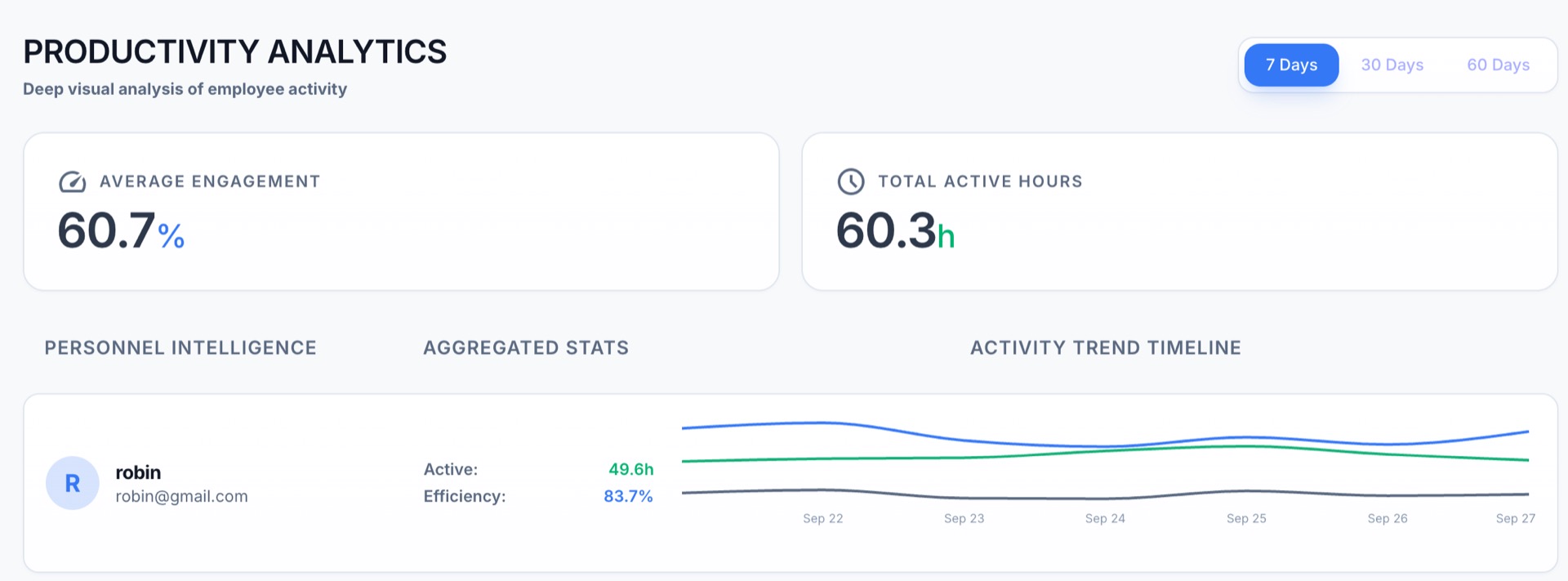
The EndDefend Dashboard providing a holistic view of active vs. idle employee hours.
How Idle Time is Mathematically Calculated
We do not rely on simple application focus. EndDefend calculates genuine engagement by directly hooking into native OS-level hardware telemetry via low-level macOS/Windows APIs.
- Keystroke Velocity: Tracks precise typing cadence per minute (WPM) without logging raw input to preserve privacy.
- Mouse & Scroll Deltas: Monitors continuous pointer movement and scroll wheel ticks to ensure active physical presence.
- Smart Idle Thresholds: Automatically flags employees as "Idle" if total hardware inputs drop below the engagement threshold for exactly 60 seconds.
EndDefend utilizes a proprietary, multi-dimensional scoring algorithm to evaluate true user engagement across the OS.
Manual Overrides & Automated Disciplinary Actions
Hardware tracking isn't flawless for offline work (like physical meetings). We provide HR teams with complete control to manually adjust timesheets and apply custom governance policies.
- Manual Attendance Injection: Admins can retroactively credit hours for offline meetings, off-site client visits, or system failures.
- Automated Fine Processing: Automatically deduct payroll or apply financial penalties for employees consistently falling below the 80% daily productivity threshold.
- Shift Lateness Alerts: Instantly notify managers if an employee fails to initialize the EndDefend connector within 15 minutes of their scheduled shift start.
Adjust Timesheet
Add +2.5 hours for "Client On-site Meeting" to employee John Doe.
Apply Fine
Deduct $50 penalty for 3 hours of consecutive unexplained idle time.
Customizable Presence Thresholds
Every company defines "working properly" differently. EndDefend allows your administrators to set specific daily productivity thresholds that must be met before an employee is officially marked as "Present".
- Dynamic "Present" Marking: Users are only marked as present if their genuinely active hours meet the admin-defined percentage for the day.
- Time-Wasting Prevention: Idle periods, non-work application usage, and blocked activities are automatically discounted from their active hour threshold.
- Flexible per Department: Set a strict 90% threshold for Support roles, and a more lenient 60% threshold for creative or physical roles.
Required Active Hours for "Present" Status
Stop guessing. Start tracking.
Deploy EndDefend to your entire workforce in under 5 minutes and immediately gain visibility into true productivity.